
A little more room to listen

Follow what you’re curious about.

Find music, talks and videos to listen to on the move — with your screen off. Keep a queue for the moment, or save a playlist for next time.

Android only · Android 8.0+ · 7.1 MB · Free · Independent project

BlackYT’s joyful songbird mascot, listening with open wings
Pick a thread. See where it goes.
Find music and voicesQueue your next listenSave playlists on your phoneListen screen-off playback when your phone allows
01 · Find your next listen

One search. A lot of directions.

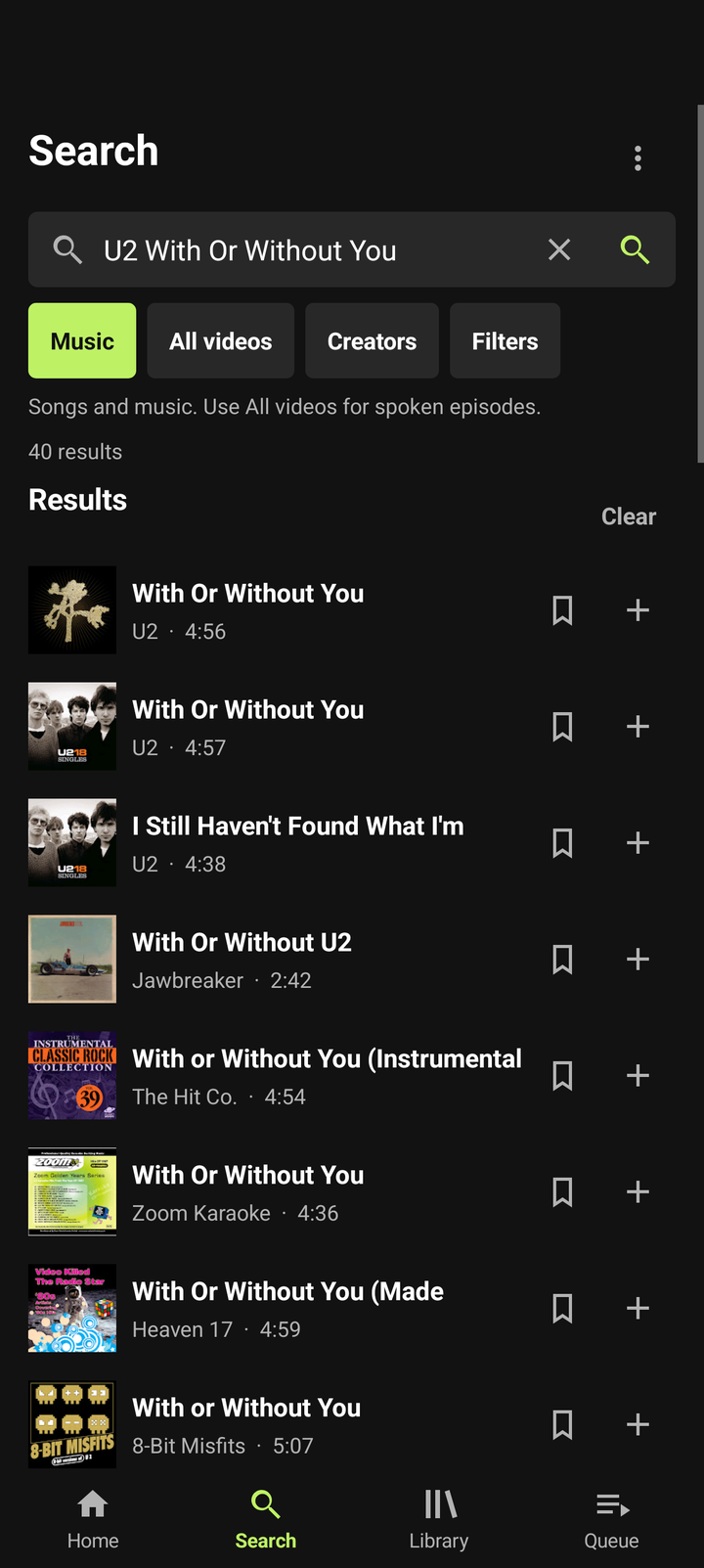
Search songs in Music, or switch to All videos for talks, interviews and other spoken videos. Find a creator and browse what they have shared.

Got a supported YT link from a friend? Share it to BlackYT or paste it in Search. You’ll see a preview before you choose to play.

A video search and listening companion. Not a podcast directory or subscription service.
BlackYT search screen with music results and artwork
Interface preview; this screen is from v0.5.0.
02 · Listen your way

Stay with the idea.

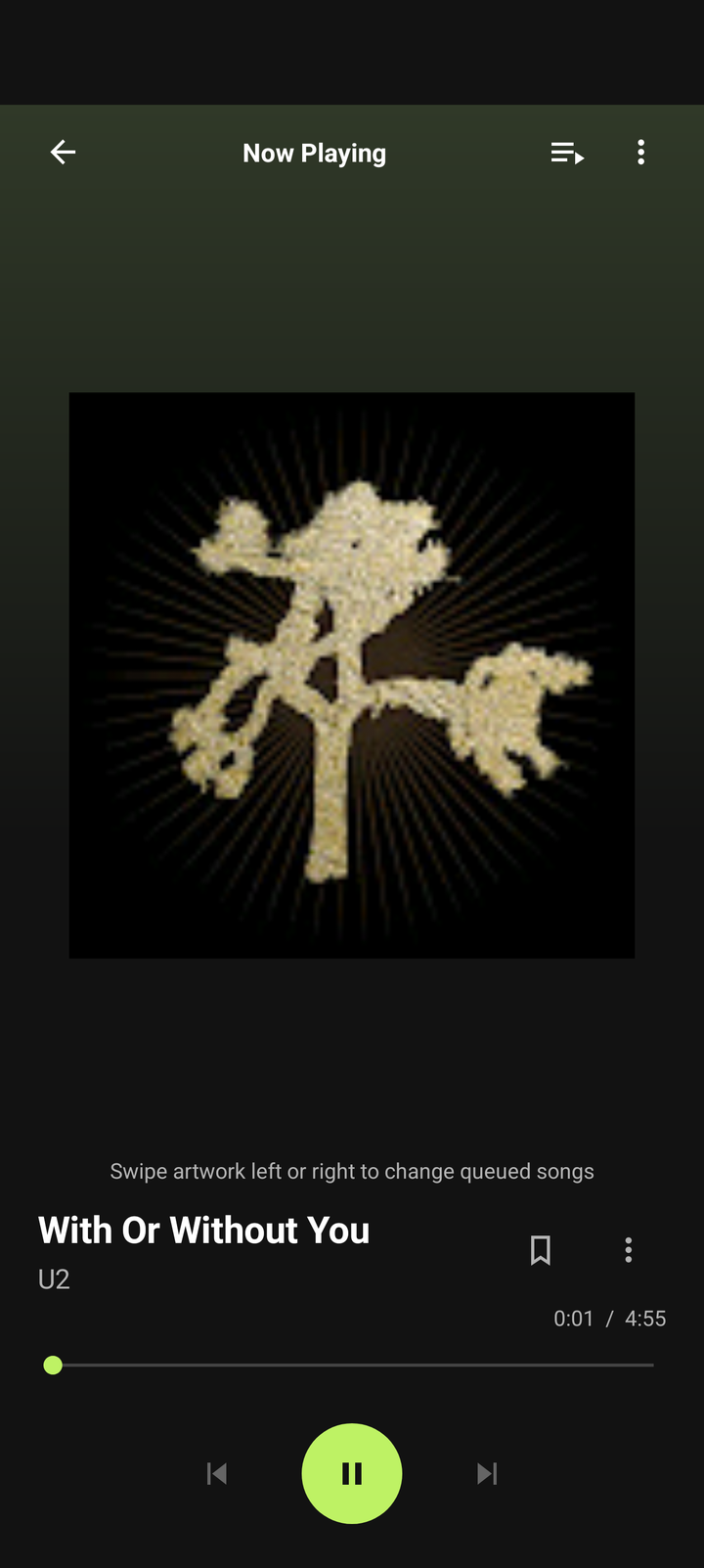
Play a result, add it to the end of your queue, and settle in. Use the player for pause, seek and track controls. Background playback depends on Android and your phone.

Save a video to your Library and come back to its place later. Your saved items and listening progress stay on this phone.

↗

Streamed over the internet; BlackYT does not offer full offline downloads.

♫

Optional playback preparation is a small opening cache, not an offline library.

BlackYT Now Playing screen with artwork and playback controls
Interface preview; this screen is from v0.5.0.
Your listening, your order
03 · Make it yours

Collect the good bits.

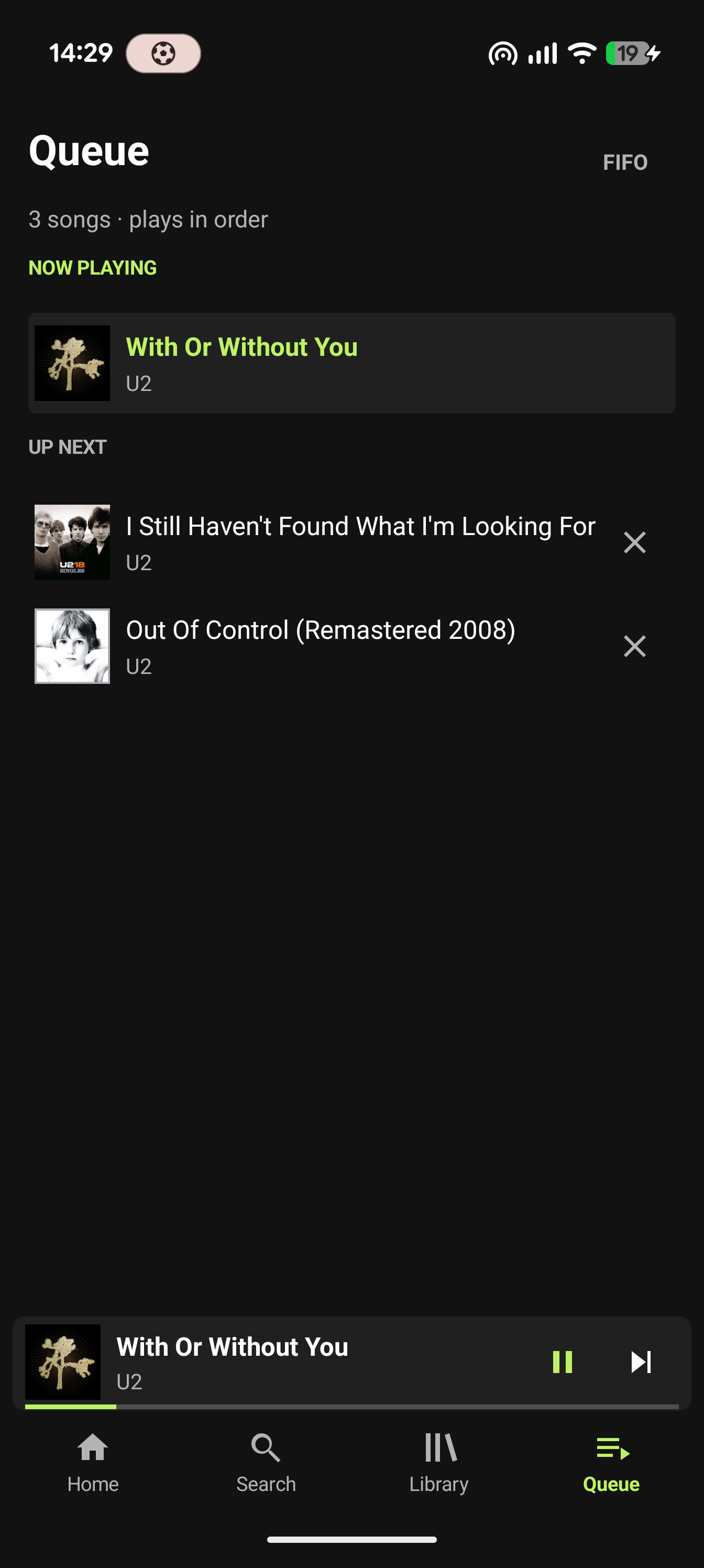
Make a named playlist from selected search results. Play it to start fresh, or add everything to the end of the queue while your current listen keeps going.

Playlists live hereYour Library is saved on your phone. No account or cloud sync.
Find more like theseOptional suggestions. Nothing gets added automatically.
Keep your placeSaved episodes can resume from their recent progress.
Make Explore yoursEdit the topics you want to search again.
BlackYT queue and playlist interface preview
Queue and playlist preview from the v0.6.0 phone check.
See it in motion

Follow the flow.

A short look at finding creators, saving an episode, shaping Explore and keeping a queue close.

BlackYT is for Android phones and tablets running Android 8.0 or newer. iPhone and iPad are not supported yet.

Film: “Stay in the Flow.” Voice narration is synthetic; music is original. Song credit: “Addicted To You” by Ezzy Elliott. ElevenLabs synthetic voice.

Captions are available in the player. Download the film

A practical guide · Android

Find something. Make it yours.

BlackYT streams music and videos from YT. These steps cover search, queues, playlists and the phone’s Library.

01

Play now or add it next

  1. Open Search and choose Music for songs or All videos for talks, interviews and other spoken videos.
  2. Search for a song, artist, show, guest or topic, then tap a result to play it now.
  3. To keep listening to the current item, choose Add on a result. It goes to the end of your queue. Use the mini player or Now Playing for pause, seek, next, previous and queue controls.

For a channel, choose Creators, find it, then browse its Videos. BlackYT does not automatically identify podcasts.

02

Build and play a playlist

  1. In Search, select one or more results and choose Create playlist. Give it a name. Or choose Add to playlist to use one you have already made.
  2. Open Library to find your saved playlists.
  3. Play playlist replaces the current queue and starts the playlist. Add all places its items after the current queue and keeps current playback going.
03

Return to an episode or creator

  1. Save an episode or creator to Library. A saved episode keeps its listening progress; opening a saved creator fetches its current videos.
  2. Tap a saved episode to resume. Saved creators are under Library → Saved creators.
  3. Share a supported YT video link from another app to BlackYT, or paste it into Search. Check the preview, then tap the result to play. A supported short link can retain its starting time.

Saved details and progress stay on this phone. They do not sync to an account or cloud.

04

Shape Explore around your interests

  1. Open Home → Explore, then choose Edit.
  2. Add a topic and the search phrase you want it to use. You can edit, move or remove topics later.
  3. For talks and episodes, leave Music results only off. Choose All videos when searching spoken content.
05

Ask for optional suggestions

Choose Find more like these from a playlist when you want ideas for similar videos. It checks up to two creator pages and two searches, and can return up to 12 suggestions.

Suggestions are never added automatically. “New to this playlist” does not verify when a video was uploaded.

Need offline instructions to install?Save the offline installation guide ↓
Plain about privacy

Your Library stays on your phone.

No BlackYT account is needed, and there is no BlackYT cloud sync. Playlists, saved videos and creators, listening progress, recent searches and preferences are stored on your phone. Clearing app storage or uninstalling can remove them.

Search, artwork and audio requests go directly to YT/Google. They can receive your device’s IP address, your searches, requested video or channel details, and request information. BlackYT is not an anonymity service.

The inspected app build has no in-app ad player or analytics SDK. Creator sponsorships may remain, and upstream services can change. An ad-free experience is not guaranteed.

On this website, no advertising or analytics script is added. The web host still receives ordinary connection information, and GitHub receives download requests. The promo plays from this site without a third-party embedded player.

No BlackYT accountNo cloud libraryDirect YT/Google requestsInternet needed to listen
Ready when you are

Install in a few taps.

Download the Android app on your phone, then open it from Downloads. No computer or developer setup needed.

How to use BlackYT · FAQ & troubleshooting

Version 0.6.0 · Android 8.0 or newer · No iOS release date yet

  1. Tap Download and wait for the APK to finish.
  2. Open BlackYT-Android-v0.6.0.apk from your browser’s Downloads or the Files app.
  3. If Android asks, open its Settings prompt and allow this app to install from this source. This applies only to the browser or Files app you used; you can switch it off afterward.
  4. Return to the downloaded APK, tap Install, then Open. Look for the BlackYT bird icon in your apps.
See a Play Protect or device warning?

Stop and ask the project maintainer or your device administrator. Keep protection on; don’t try to bypass a warning.

FAQ & troubleshooting

Answers for the small snags.

Keep instructions on your phone with the Offline installation guide ↓ GitHub download alternative.

Email the project

Which phones can use BlackYT?

Android phones and tablets running Android 8.0 or newer. BlackYT is not currently available for iPhone or iPad. An iOS app is planned for later, with no release date.

Do I need Developer options, USB debugging or Termux?

No. Normal installation uses the APK on your Android device. You do not need a computer, Developer options, USB debugging, Termux, a Mac or a custom certificate.

Android says my browser can’t install apps from this source.

Allow installation for only the app that opened the APK, then return to Downloads and open the APK again. On Pixel, the route is Settings → Apps → Special app access → Install unknown apps; choose Chrome or Files, whichever opened the APK. You can revoke the permission after installation. Menu names vary by phone.

I see a Play Protect, work or school warning.

Stop the installation. Do not turn off Play Protect or bypass the warning. Contact blackyt@streamit2.me or your device administrator.

The app will not install or says there is a signature conflict.

Check that your phone runs Android 8.0 or newer and that the download finished. Avoid uninstalling the current app or clearing its storage to experiment. Send the exact error and phone model to blackyt@streamit2.me.

Search is empty or a result will not play.

Check your connection and try a shorter search or All videos. Some videos may be unavailable or restricted, and YT can change its service. If playback stops with an error, use Retry current song or try another result.

How do I find spoken videos?

Choose Search → All videos, or search in Creators and open a channel’s Videos. Try a show, guest, speaker or topic name. BlackYT does not automatically label videos as podcasts.

Will music keep playing with my screen locked?

Background playback depends on Android and your phone manufacturer. Reopen BlackYT and resume if playback stops. If available, check BlackYT’s app-specific battery setting. On Pixel, open Settings → Apps → BlackYT → App battery usage and check Allow background usage. Menu labels can vary. General battery protections do not need to be switched off.

Can I listen offline? Does BlackYT guarantee no ads?

No. Audio streams over the internet; optional playback preparation can save a small opening portion of some items within a limited phone cache. It is not a download library. BlackYT has no in-app ad player in the inspected build, but creator sponsorships can remain and an ad-free experience is not guaranteed.

Where are playlists and saved episodes kept?

On this phone. There is no BlackYT account or cloud sync. Uninstalling or clearing app storage may remove saved playlists, videos, creators and progress.

Get BlackYT for Android · v0.6.0